
Unblocked games
Unblocked Games for School Chromebook: 15 That Run Smoothly
9 min read · Published September 27, 2026 · Updated October 8, 2026 · SolveCalcPro editorial team
- A school Chromebook is a small, managed computer, so light 2D games run far better than heavy 3D ones.
- Only browser (HTML5) games work on a managed Chromebook, because you cannot install anything.
- Most lag comes from too many open tabs, not from the game itself.
- A blank game frame usually means a blocked games server, not a broken Chromebook.
"Unblocked games for school Chromebook" is the most searched phrase in this whole niche, and most of the pages that rank for it are lists of links that stopped working months ago. This guide does it differently: fifteen games chosen because they genuinely run well on a low-power Chromebook, with a clear explanation of why.
Why a Chromebook is different from a laptop
A school Chromebook has a modest processor, limited memory and a small amount of storage, and it is managed by your school. You cannot install apps, emulators or extensions without permission. That leaves one kind of game: browser games built with HTML5 that run inside a tab. Every title in our unblocked games library is this type, so nothing needs installing.
The practical rule is simple. Light 2D games run well. Heavy 3D games often do not. The fifteen below are almost all 2D or very light 3D.
Fifteen games that run well
Grouped by how much they ask of the machine and of you.
Quick arcade and one-tap
- Infinity Sky (Hypercasual)guide a bouncing hero up endless platforms; one control, tiny memory footprint.
- jumpNinja (Hypercasual)switch between the top and bottom platforms to dodge obstacles.
- NovaBrick Rush (Hypercasual)a brick breaker in space with power-ups.
- Color Brick Battle (Hypercasual)bounce the ball and destroy bricks, where colour is the key.
- Additive Fun 2048 (Puzzle)merge matching numbers; pure 2D, almost no load on the device.


Puzzle and board games
- Sorting Ball Quiz (Puzzle)sort coloured balls into the correct tubes.
- Memorya (Puzzle)a memory-match game with six themed settings.
- Hungry Snail (Puzzle)move ground tiles to build a path that gets a snail home.
- Solitaire The Collection (Puzzle)a collection of 33 solitaire variants in one game.
- Sudoku Master (Puzzle)classic sudoku; the lightest possible kind of game.
- Word Connect Crossword Puzzle (Puzzle)a gentle word puzzle for a quiet break.


Two-player and sports
- Ping Pong Classic (Sports)simple table tennis in the style of the Atari classic.
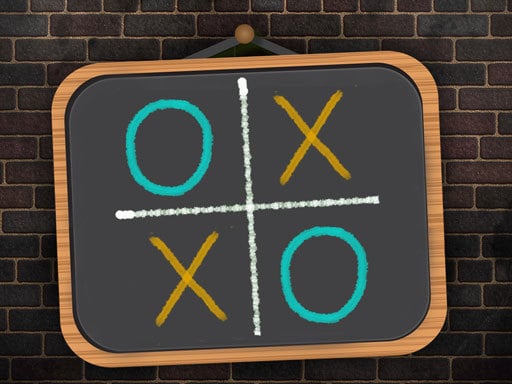
- Tic Tac Toe Blackboard (Multiplayer)one or two players on a chalkboard grid.
- Checkers - strategy board game (Arcade)checkers against the computer or a friend on the same device.
- Pocket Golf (Sports)hand-drawn minigolf on notebook paper.



Games that tend to struggle on a Chromebook
Anything with a big 3D world, lots of other players on screen, or heavy particle effects can stutter. If a title has "3D" in the name and your Chromebook is more than a few years old, expect lower frame rates. Open-world driving games and large multiplayer arenas are the usual culprits. Switch to a 2D game rather than trying to force it.
If you like racing, our racing games list flags the lighter ones.
How to fix lag in five steps
- Close every other tab. Each open tab uses memory. This is the biggest single fix.
- Check Chrome's Task Manager. Press Search + Esc to see which tab uses the most memory and end it.
- Use the Fullscreen button on the game page for a cleaner, single-purpose frame.
- Plug in the charger. Many Chromebooks slow down on battery.
- Pick a lighter game from the list above.
For the full system-level checklist, read how to make your Chromebook faster.
If a game will not load at all
A blank box where the game should be usually means the school filter is blocking the server the game is hosted on. The page itself loaded, but the game did not. Another game from the library may work, because games are served from different hosts. The pattern is explained in unblocked games for school WiFi that actually work.
Controls on a Chromebook
Most of these games use the mouse or arrow keys, which work fine on a trackpad. For games that need two hands on the keyboard, an external mouse helps. Two-player games usually share one keyboard: player one on W A S D, player two on the arrow keys. See our two-player list.
Using them responsibly
Loading is not permission. Many schools block games on purpose and some monitor activity, as explained in what schools can see. Use these at home, at lunch where allowed, or as a teacher-approved reward, and see classroom games for the calmer options.
Frequently asked questions
Can a Chromebook run any unblocked game?
It can run browser games. It cannot install apps or emulators on a managed device, which is why browser games are the standard.
Why is a game laggy on my Chromebook?
Usually too many open tabs or a heavy 3D game. Close tabs, check the Task Manager with Search plus Esc, and try a 2D game.
Do I need Flash or a plugin?
No. Modern browser games use HTML5 and need nothing extra.
Which games are lightest?
Sudoku, solitaire, 2048-style and memory games use almost no resources. Brick breakers and one-tap jumpers are next.
Why do some games not load on school WiFi?
The school filter may block the server a game is hosted on. A different game from another host may load fine.
Keep reading
Play now: unblocked games · classroom games · how Code Mode works.
Written and reviewed by the SolveCalcPro editorial team. Found an error? Tell us. See our editorial policy.